Guides / Tools
How to turn a video into a transcript, and what to do with it
A transcript turns something you said once into text you can use many times: for captions, for titles and tags, for a tighter second take of the same idea, or for finding the sentence that would make a good Short.
This guide shows the steps in the free Get text from video tool, and four ways to reuse the result.
Step 1. Upload the file
Open the Get text from video tool and drop in a video or audio file. It accepts mp4, mov, webm, mp3 and wav up to 80 MB, and it extracts the audio before uploading, so a long video does not mean a long upload.
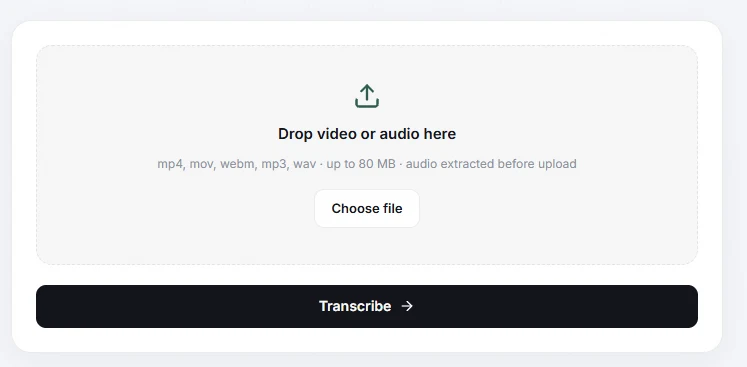
For this guide we used a short voice recording, so the example is easy to follow. The steps are the same for a real video.
Step 2. Transcribe
Once the file is selected, its name and size appear under the drop area. Press Transcribe. Signed-in runs use two credits.
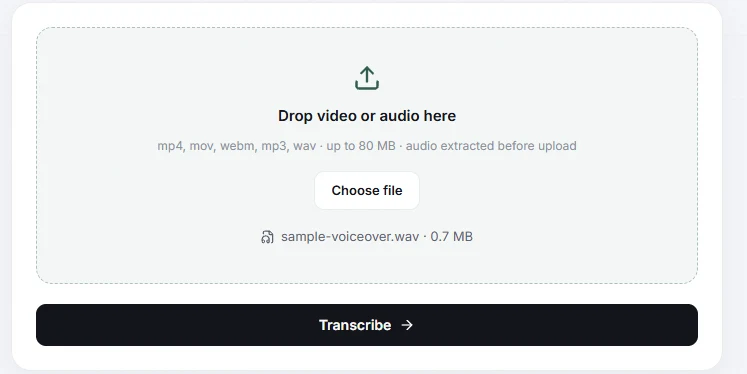
Step 3. Read it and fix the details
The transcript appears as editable text with a Copy button and a Make Publish Kit button. Speech recognition is good with clear audio and weaker with names, product terms and background noise, so read it through once and fix those.
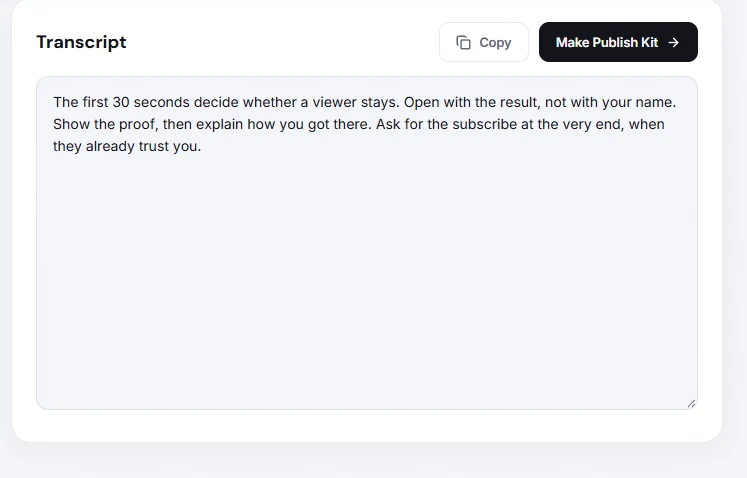
Four ways to reuse it
- Packaging. Press Make Publish Kit to get titles, a description, hashtags and tags based on what you actually said, not on what you remember saying.
- A tighter second take. Paste the transcript into the script editor and use the Writing Agent to rewrite it, section by section, in a shorter form.
- Shorts hooks. Scan the transcript for the one sentence with a result or a surprise. That sentence is usually the hook of a short.
- Captions and accessibility. Clean the text up and use it as a base for subtitles.
If you want to polish the packaging next, see how to write a title, description and tags in five minutes.
Questions
Which file types does it accept?
mp4, mov, webm, mp3 and wav, up to 80 MB. The audio is extracted before upload.
Is it free?
The tool is free to try. When you are signed in, each transcription uses two credits from your plan.
How accurate is the transcript?
It depends on the audio. Clear speech works well. Names, product terms and noisy recordings need a read-through, so always proofread before you publish captions.
Can I get a transcript of any YouTube video by link?
This tool works from a file you upload, so it is meant for your own videos and recordings.